

In this day and age, a business that does not use software for various business functions is rare to find. Most businesses use various tools to streamline processes and reduce room for human error. An enterprise resource planning or ERP system is one such software that businesses are showing interest in as they manage business functions within a centralized and integrated system.
Around 2010, a new era dawned, where ERP investments are the center of business strategy rather than a singular piece of technology, says Nisha Bhandare, Senior Director Analyst, Gartner. This evolution of ERP into enterprise business capabilities is driven and controlled more by the business than by IT.
Enterprise resource planning (ERP) is defined as the ability to deliver an integrated suite of business applications. ERP tools share a common process and data model, covering broad and deep operational end-to-end processes, such as those found in finance, HR, distribution, manufacturing, service and the supply chain.
SAP Business One – A Complete and Customizable Solution

SAP Business One is a single, integrated solution that provides clear visibility into your entire business and complete control over every aspect of your operations. It captures all critical business information for immediate access and use company-wide. Unlike accounting packages and spreadsheets, it delivers what you need to manage your key business areas.
Because every business is different, SAP Business One is designed with flexibility in mind. Whether it’s deployed on premise or in the cloud, you can access SAP Business One at anytime, anywhere via any mobile device. And because SAP Business One runs on both the SAP HANA and Microsoft SQL server platforms, you can choose the one that suits your business best.
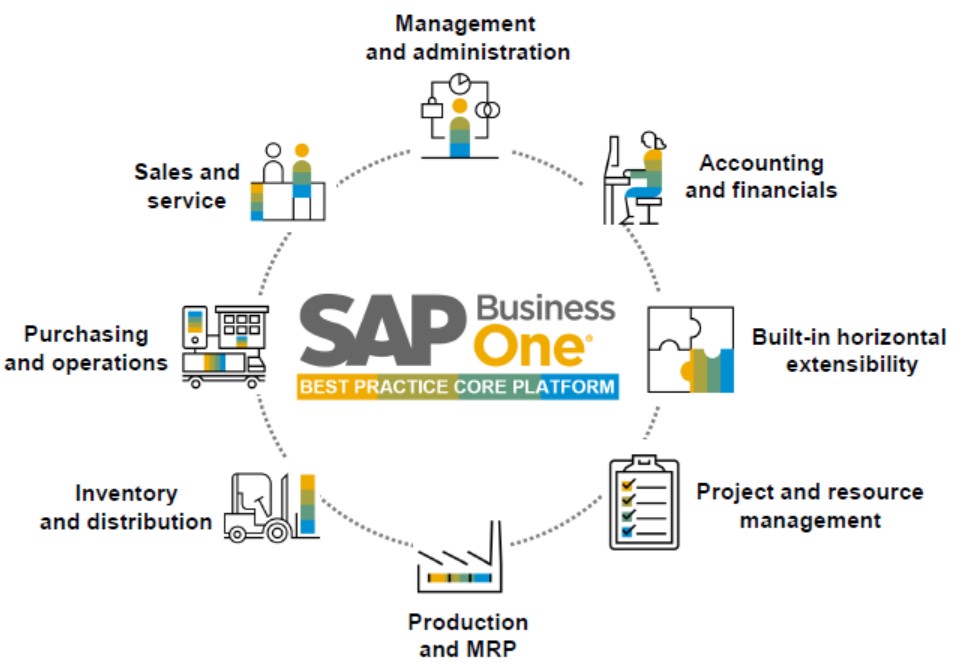
What’s more, your employees can start using it from day one. As your business grows, you can customize and extend SAP Business One to meet your evolving needs. The SAP Business One application offers an affordable way to manage your entire business – from accounting and financials, purchasing, inventory, sales and customer relationships, and project management, to operations and human resources.
SAP Business One helps you to streamline processes, gain a greater insight into your business, so that you can act fast and make decisions based on real time information, to help you drive profitable growth. SAP Business One is designed for small and midsized companies to grow with you, it is flexible, modular, yet powerful and with its user-friendly interface, it is simple to use.
Let’s examine how SAP Business One contributes to every domain of your organization in the forthcoming sections.
Take control of your Finance
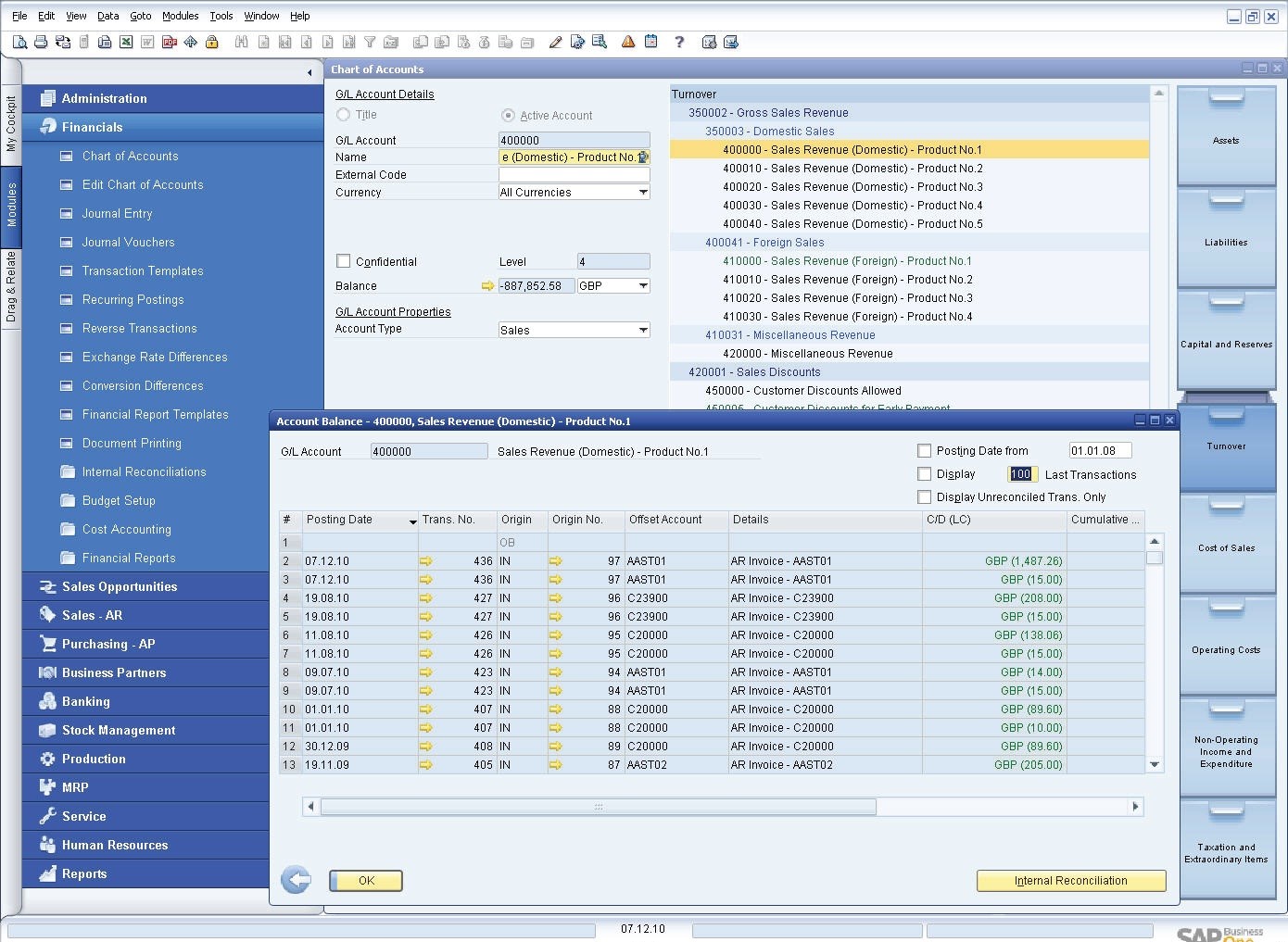
SAP Business One provides a complete set of tools to help manage and streamline your financial operation. It automates everyday accounting tasks such as maintaining ledger and journal entries, supporting tax calculations, and enabling multicurrency transactions.
You can conduct all your banking activities – including processing bank statements and payments, as well as reconciling accounts. You can also manage cash flow, track budgets, and compare actuals versus plans to see where your business stands at a moment’s notice.
By integrating your financial operation in real time with other business processes, such as purchasing and sales, you can speed transactions and improve visibility into cash flow.
Accounting
Automatically handle all key accounting processes, such as journal entries, accounts receivable, and accounts payable
Controlling
Accurately manage cash flow, track fixed assets, control budgets, and monitor project costs
Simplified
Management of fixed assets, the virtual fixed asset function frees you from repetitive manual data entry
Banking and reconciliation
Quickly process reconciliations, bank statements, and payments by various methods including checks, cash, and bank transfers
Financial reporting and analysis
Create standard or customized reports from real-time data for business planning and audit reviews
Create a Loyal Customer Base
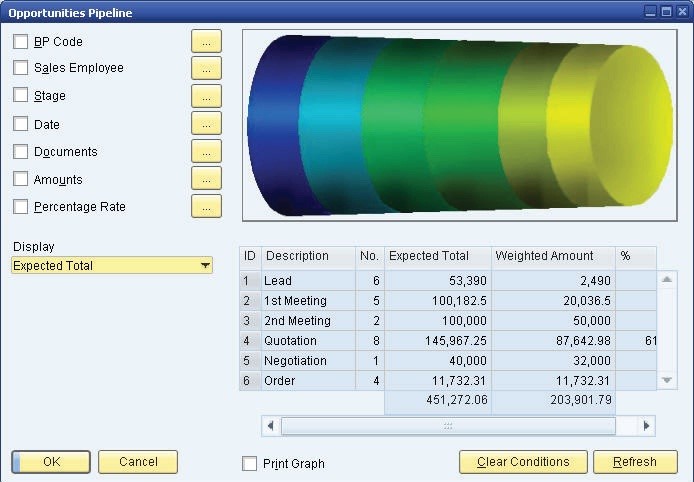
Acquiring new customers is important for success, but maximizing customer relationships is just as crucial. SAP Business One provides the tools to help you efficiently manage the entire sales process and customer lifecycle – from initial contact to final sale, to after-sales service and support.
Its integrated functionality provides a complete view of prospects and customers so you can better understand and meet their needs. As a result, you can turn prospects into customers, increase sales and profitability, and improve customer satisfaction.
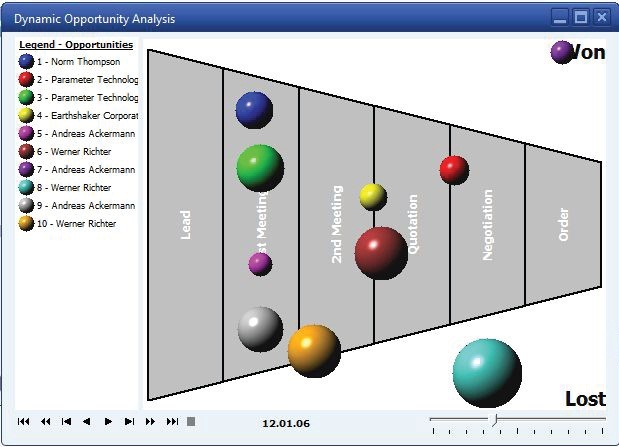
SALES AND CUSTOMER MANAGEMENT
Sales and Opportunity Management
Track opportunities and activities from the first contact to deal closing
Marketing campaign management
Create, manage, and analyze marketing activities
Customer management
Store all critical customer data in one place, synchronize and manage customer contacts stored in Microsoft Outlook
Service management
Manage warranty and service contracts efficiently, enter and respond to service calls quickly
Reporting and analysis
Create detailed reports on all aspects of the sales process, including sales forecasting and pipeline tracking, using time saving templates
Mobilize your sales team
Manage your sales information on the move with SAP Business One Sales mobile app
Optimize Buying and Purchasing to Increase Margins
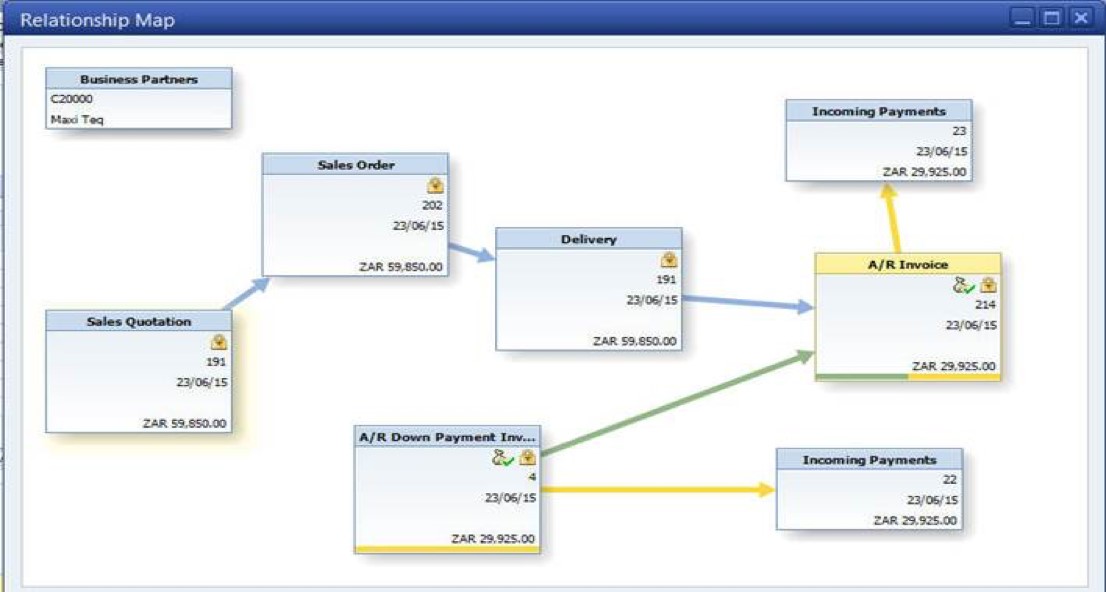
Every small business needs a systematic approach to managing the procurement process, from requesting vendor quotes, to creating purchase requests and paying vendors.
SAP Business One helps manage the complete order-to-pay cycle, including receipts, invoices, returns, and payments. Integrated reporting tools let you easily compare suppliers and prices to negotiate better deals and identify opportunities for cost savings.
PURCHASING AND INVENTORY CONTROL
Procurement
Create purchase requests, POs, and goods receipts; link purchasing documents and view document trails for audit purposes; and manage returns, additional expenses, and multiple currencies
Master data management
Manage detailed data in a user-friendly interface, view account balance and purchase analyses, and maintain detailed item purchasing information with price lists and tax information
Warehouse and accounting integration
Achieve real-time synchronization of goods receipts and inventory warehouse levels
Process accounts payable
Process AP Invoices, cancellations, and credit memos with a PO reference; plan your material needs; and schedule your purchases accordingly
Easier, up-to-date reporting
Generate reports with real-time data and display them in various report formats or dash-boards
Transparent Inventory Control and Distribution
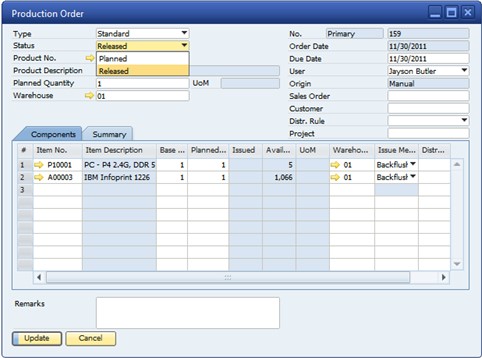
SAP Business One provides accurate information about inbound and outbound shipments, inventory, and item location.
You can value inventory using standard costing, moving average, FIFO, and other methods; monitor stock levels; and track transfers in real time. You can run real-time inventory updates and availability checks and manage standard and special pricing. You can also apply volume, cash, and customer discounts and run reports that reveal their impact.
PRODUCTION PLANNING
Warehouse and Inventory management
Manage inventory using various costing models, maintain item master data, and use multiple units of measure and pricing
Bin location management
Manage stock in multiple warehouses, by dividing each one into multiple subzones, set up allocation rules, optimize stock movement, and reduce picking times
Goods receipt and issue control
Record goods receipts and issues; track stock locations and transfers; enable consignment, drop-ship, and other orders; and perform inventory and cycle counts
Production and material requirements planning
Create and maintain multilevel bills of materials (BOMs), issue and release production orders manually or by backflush, and globally maintain prices for BOMs
Efficient reporting
Generate reports with timely data and display them in various formats or dashboards
See your business clearly with business intelligence, analytics and reporting
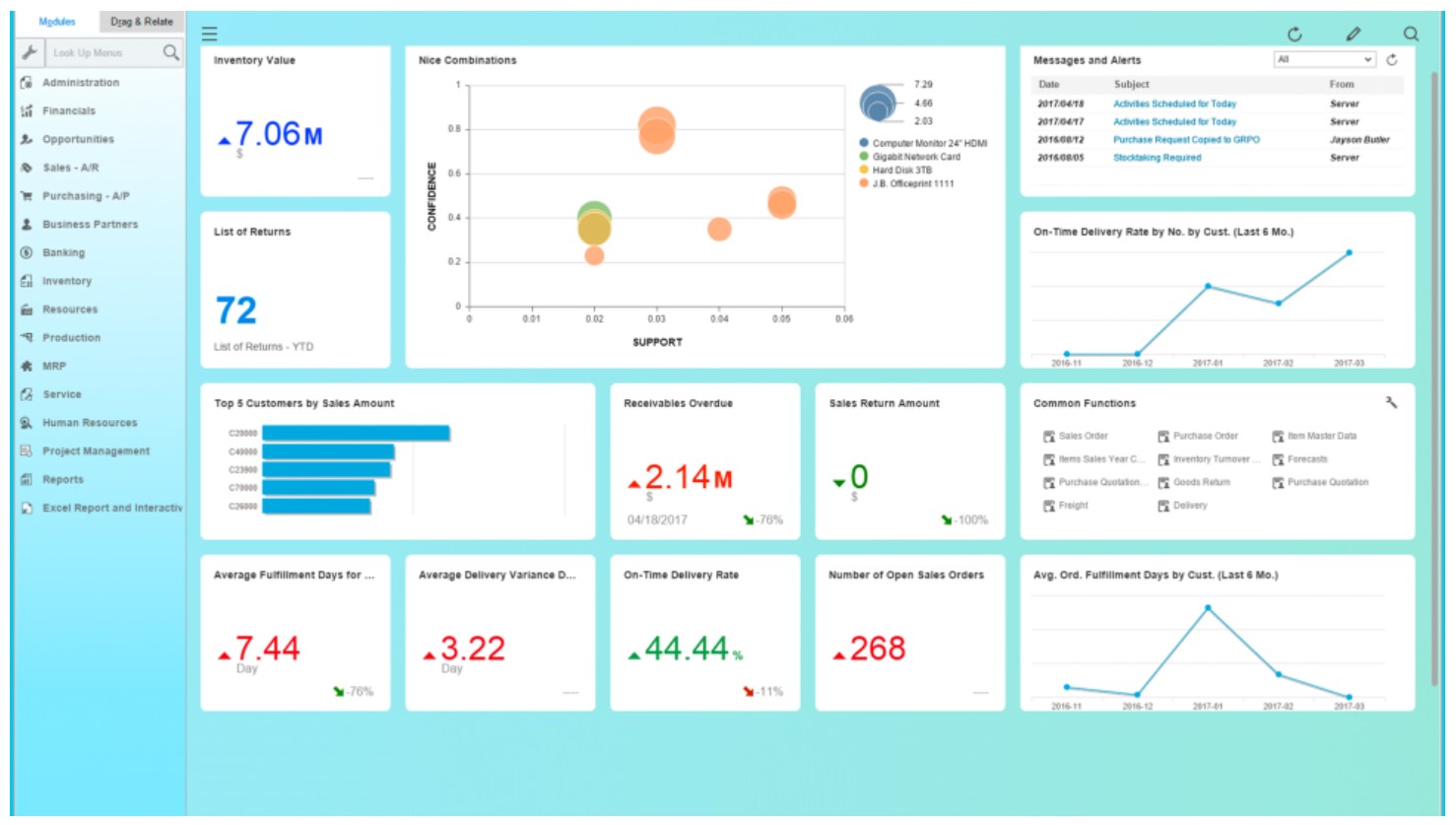
SAP Business One provides powerful analytic and reporting tools.
It includes a complimentary and fully integrated version of SAP Crystal Reports for SAP Business One, so you can gather data from multiple sources and generate timely and accurate reports based on company-wide data. Integrated with Microsoft Office, SAP Crystal Reports lets you choose from a variety of report formats and control access to information displayed.
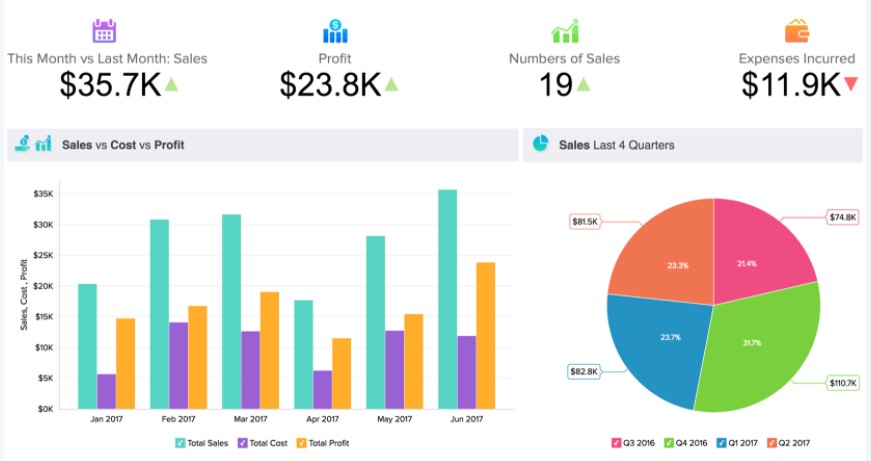
With optional analytics powered by SAP HANA, SAP Business One takes advantage of in-memory computing for analysis and reporting. You gain real-time access to predefined dashboards and reports, as well as productivity tools to support decision-making.
You can tailor forms and queries to meet specific requirements without technical training. You can also configure settings to define exchange rates, set authorization parameters, and create import and export functions for internal mail, e-mail, and data.
BUSINESS INTELLIGENCE
Report creation and customization
Access data from multiple sources, create new reports, and customize existing ones in a variety of layouts with minimal IT overhead
Interactive analysis
Use with standard MS Excel features to create reports and see your business from new angles
Intuitive tools
Drag and relate, drill downs, search assistance, and workflow-based alerts
Analytics plus pre-defined KPIs
KPIs or key performance indicators help you to see average delivery variance days, top five sales employees
Enhance your reports
With powerful visualizations by integrating SAP Lumira for SAP Business One
Why Organizations Love SAP Business One ERP?

Let’s look at the benefits for key management roles by using SAP Business One ERP
- CEO
- 360 degree view of the whole business
- Growth – enhanced productivity and efficiency
- Cost avoidance
- CRM – improved customer relationships
- KPI’s, reports, dashboards
- SAP Business One App – Real time information available anywhere, anytime for optimized decision making
- Total departmental integration – one single source of data
- Finance
- Complete visibility of the entire company
- Streamlined financial operation
- Accounting
- Controlling
- Banking and Reconciliation
- Advance Reporting and Analytics
- Procurement
- Comprehensive procurement management at your fingertips
- Warehousing and accounting integration
- Easier up-to-date reporting.
- Improved purchase planning
- Automation of activities (from purchase order creation to vendor invoice payment)
- Full transparency – optimized buying decisions
- Cost savings due to automation and effective purchase decisions
- IT
- Security and Support – Remote support platform to anticipate potential issues with the system
- Data integrity – Error reduction
- Query Generator and Report Builder
- Simplicity
- Innovations – Integrations – SAP Business One Apps
- Scalability as business requirements grow
- Operations
- Improved MRP (Material Requirement Planning)
- Advanced planning and scheduling
- Inventory Management (Multiple Warehouses)
- Lot traceability
- Dashboards
- Quality Controls
- Sales Team – By using SAP Business One Sales Mobile App
- Manage sales leads and opportunities
- Customer accounts
- View stock
- Place orders
- Reports
- Manage day to day activities
- Service Team – By using SAP Business One Service Mobile App
- Manage service tickets
- View key performance indicators
- Check-in and Check-out
- Photos, service history and Contract Details
- Scan barcodes or QR codes
- Manage sales orders on the spot
- Capture customer signature on screen
- Print ticket summary on portable Bluetooth printer
An Intelligent Enterprise with SAP Business One ERP
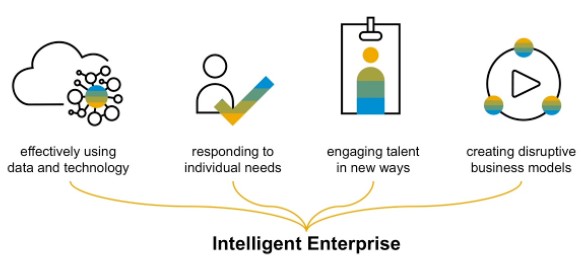
SAP Business One empowers your employees to make smart, confident decisions, faster by capturing all critical information across sales, customers, operations, and finance – making it instantly available company-wide.
By integrating this data in one system instead of multiple disconnected spreadsheets, it eliminates duplicate data entry, costs, and related errors. Workflow-based alerts trigger automatic responses when important business events occur, allowing you to focus on the most critical events. You have clear visibility into how your business is performing and greater confidence in the information used to make decisions.
Together with the fully integrated SAP Crystal Reports for SAP Business One you can create dashboards and reports that provide insight into all business areas. Intuitive, interactive drill-down functionality helps you get answers to your most pressing questions. Employees can address customer needs faster, and managers can accurately track revenues, costs, and cash flow to assess performance and take quick corrective action.
Critical administrative and system-level features that distinguish SAP Business One from other competitors in the SMB ERP market include: multi-currency/multi-language support, notifications and alerts, role-based permissions management, a data transfer workbench for managing the migration of existing business data, an integration framework, and an SDK for rapid deployment of program customizations.
To understand more on how SAP Business One ERP can streamline your operations from start to finish, gain instant access to complete information, and accelerate profitable growth, feel free to reach out to us.
Author