
In most offices, nearly all employees use a single device to manage, process and share some of their company’s most valuable data.
That device? The printer.
While the office copier and multifunction printer MFP have come to be viewed as an “appliance” in some workplaces, the truth is these devices can be the source of huge gains in business productivity – or losses, depending on how they are used.
Copy machines and printers have long been standard components of most workplaces. While they used to simply provide print-outs and standard copies, today’s machines are much more sophisticated.
Today, you can combine the functionality of these two machines into one device, called a multifunction printer. In addition to basic functions such as printing and copying, multifunction printers offer more advanced features, like remote printing and Wi-Fi connectivity.
Multifunction printers and copiers allow you to print, copy, scan and fax. When looking for a multifunction printer or copier, you need to decide, among other things, if you want it to print in color, if you prefer ink or toner and whether you want to buy or lease it. Other factors you should consider include speed, paper capacity, graphics capabilities and memory capacity.
This article provides a guideline for business stakeholders who are trying to determine what to look for when buying a multifunction printer or copy machine.
What is a Multifunction Printer MFP?
Multifunction printers combine the functions of printers and color copiers, and they can also fax and scan to locations such as email, USB drives and cloud-based services. More advanced models can be customized with finishing options, like stapling, hole punching and sorting.
These MFPs are designed to meet business printing needs while cutting supply costs and increasing productivity. They can be purchased or leased, and many accessories are available for most models.
Multifunction printers connect to your Wi-Fi network and provide a host of features to meet your advanced printing and copying needs. Buying a machine that’s compatible with your technology lets you address all of your business-related printing and copying needs with one purchase.
Today, MFP’s do so much more than copy and print documents. A true multifunction printer also scans, emails, faxes, and can even browse the internet and print straight from the display panel, similar to a computer.
Over time, multifunction printers have been referred to as photocopiers, copiers, and a host of other names.
What are the Different Types of Copiers and Multifunction Printer MFP?
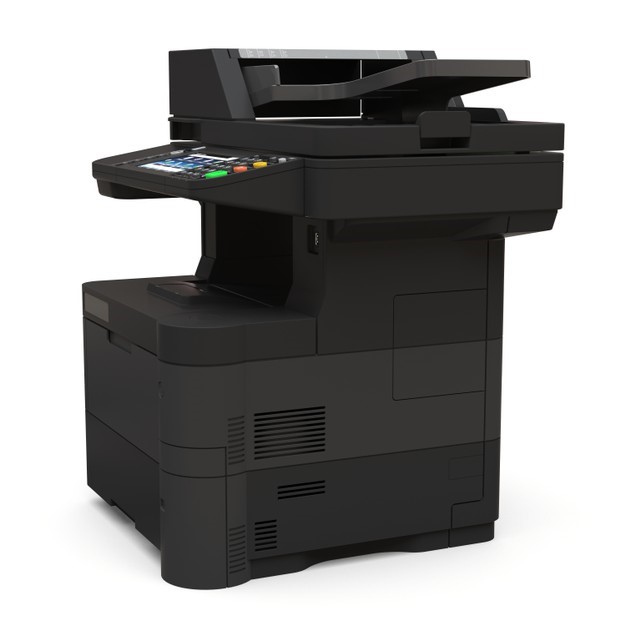
There are many factors to consider when choosing a copy machine or multifunction printer, including the type of ink, whether you want the device to print in color and its size.
Monochrome vs. Color Multifunctional Printer MFPs
Monochrome printers typically cost less than color printers because they use only one cartridge – black. Color printers, by contrast, require four separate cartridges: black, cyan, yellow and magenta.
Supply costs will be lower if you have to purchase only one cartridge at a time rather than four. However, you also need to weigh the cost savings with the impact on your branding and customers, as color images tend to be more eye-catching than monochrome images.
Inkjet vs. Laser Multifunctional Printer MFPs
An inkjet printer is the best and most economical option for businesses that don’t have a high volume of printing jobs or print only a few pages at a time. It’s also the best solution for companies that require colored printing and high-quality images, such as media companies, marketers and real estate firms. Businesses that don’t have a lot of space may also prefer an inkjet printer, because they are smaller and more portable than laser printers.
If you have large print jobs that are mostly black text with minimal graphics, however, you will get the most output with a laser printer. A laser printer offers the convenience of high-volume printing at fast speeds – even low-end laser printers can print up to 20 pages per minute (ppm) – so no one wastes time waiting for documents to print. You also get decent output with crisp text and finer lines, but the image quality is less than stellar.
Although laser printers are generally more expensive than inkjet printers, they save you money in the long run because you won’t need to purchase and replace toner as often as you would with ink cartridges.
Ink vs. Toner
Laser printers use a powdered toner, whereas inkjet printers use liquid ink. When you are deciding between the two, consider how much toner or ink will cost you over the operational life span of the MFP you buy or lease. Find out how many pages you can expect to get out of each cartridge or batch and how much replacements cost.
Home vs. SMB Offices
MFPs designed for home offices are typically desktop size to conserve space. Lower-priced desktop copiers are intended for casual individual use and will not meet the needs of most small businesses.
Office copiers are larger models that are often freestanding or designed to take up a large tabletop and are built to suit the needs of a multi-person office. Copiers like these can typically be networked and include a variety of printing, scanning and faxing capabilities. You can even use different paper types and sizes with the more advanced models.
Production
If your business requires high-volume printing, professional-grade graphics and advanced finishing options, you may need a production printer. Production printers offer high resolutions, ranging from 2400 x 1200 dots per inch (dpi) for color copies to 9600 x 600 dpi interpolated with 8-bit color depth for black-and-white prints.
Buying vs. Leasing Multifunctional Printer MFPs
You can choose to buy or lease an MFP, and both options have pros and cons related to issues such as maintenance, depreciation and costs.
Maintenance and Service Agreements
The average digital copier service agreement encompasses toner, drums, and all parts, maintenance and repairs. These agreements are designed to prevent office admins and employees from worrying about toner levels and the long-term performance of the machines. Rollers, cleaning blades and other parts that break or wear out over time are typically covered.
Key Features of a Copy Machine and Multifunction Printer MFP?
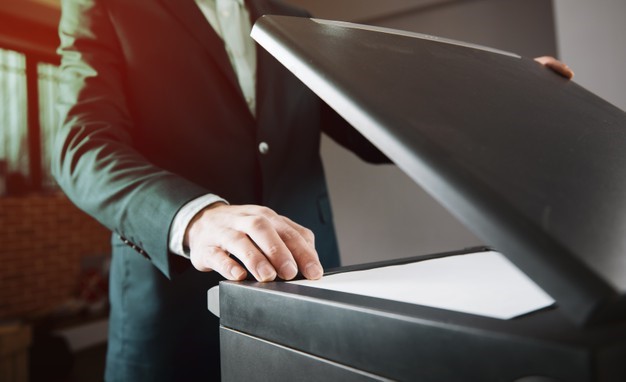
Before you choose a multifunction printer, it’s a good idea to compare the key features of various models to find the right one for your small business. Here are some features to consider when buying:
Print Speed
Print speed is one of the most crucial specs to look at when you choose an MFP. Print speed is often listed on spec sheets as “ppm.” Look for a printer that’s fast enough to keep your workflow running smoothly.
If you don’t print in high volumes, a lower speed will be fine for your business. We recommend a minimum of 25 to 30 ppm for microbusinesses and at least 45 to 50 ppm for small to midsize businesses (SMBs) with average printing needs.
Paper Capacity
You will find the paper capacity (often listed as “tray” or “cassette”) of a printer, as well as the sizes of paper it can print on, on the printer’s spec sheet. We recommend SMBs find an A3 or A4 copier, which are the most common types. A3 machines can use paper up to 11.7 x 16.5 inches, and A4 machines can handle up to 8.3 x 11.7 inches.
The best choice depends on the types and sizes of paper you use the most.
Scanning
Nearly all office printers have built-in scanners, but not every machine has an automatic document feeder or duplex scanning abilities. Document feeders are essential if you plan on scanning a large volume of documents. The duplex feature enables double-sided scanning.
You may also want to check the optical resolution of the machine’s scanner if you intend to scan images. For basic document scanning, 600 pixels is good enough, but for graphics, you will want at least 4800 pixels.
Graphics
Production printers and office printers have very different graphics specs. On production printers, a resolution of 2400 x 2400 dpi is standard, and color management is essential. Office printers that are used primarily for text documents have much lower resolutions.
If you are not sure what level of graphics you need, reach out to a representative from the copier brand you are considering, and discuss what you will be using the printer for; they should be able to recommend a model that suits your needs and budget.
Memory
Most MFPs and digital copiers have some type of internal memory that allows them to retain substantial numbers of documents and scans. An internal drive is similar to any other computer hard drive. Spec sheets may note RAM, HDDs, SSDs or standard memory storage for each model.
Depending on the size of the machine, the RAM can range from 256MB to 2GB, and the storage space can be 1GB to 1TB. We recommend a higher memory capacity if your business processes a high volume of images or printing jobs. The more memory it has, the faster the machine can process jobs.
Wireless Printing
Unless you have unique business needs, your multifunction printer should have wireless printing capability. Pretty much all printer models can be connected wirelessly, giving employees the ability to print, scan or copy from any internet-connected device.
What should your organization consider when choosing a Multifunction Printer MFP?

Now that you know which copiers are available for your business, but how do you know which photocopier is the right one for you? We have created a list of questions that you should ask yourself.
These questions will give you a better idea of what functions and features you want your copier to possess:
How fast does your business need to print pages?
Print speed should be one of the most crucial features you look at when buying a new copier for your office. You will need to find a printer with enough speed to keep your workflow running smoothly. After all, you don’t want employees standing at the copier for 20 minutes while all of their pages print.
Copiers often list print speed on their spec sheet as “ppm”, which means pages per minute. If you print in high volume then your business will want to look for a higher ppm, but a lower ppm is fine if your organization prints in low volumes.
What type of documents is your organization copying, printing or scanning?
By knowing the kind of documents that you scan, print or copy, you will be able to work out which copier is the best choice for your business.
For example, if you print in mostly black and white then a monochrome copier or black and white multifunction printer MFP will probably be fine for your organization and help you save money, but if you print in color then you will need a color copier.
What kind of service plan is available?
Like most things, different copiers have different operating costs and service plans available. You will need to consider whether or not you are happy with a warranty and paying for printing supplies as required.
Would you rather pay a charge per copy and have all your print toner, parts and labor covered by this contract (often referred to as a cost per copy contract)?
You will also want to understand how long it takes technical support team members to arrive on-site to fix your device. If your multifunction printer MFP device is important to your business, you may want to ask for a four-hour on-site commitment.
What kind of software do you want to work with?
If your company only needs a copier, this is a question you can skip. However, if you are like most companies today, you are printing, scanning and emailing from, as well as copying from your device. If you use software like Google Docs, Microsoft Office, SharePoint, Evernote, Dropbox, OneDrive, Autocad and others, you need to make sure you let your supplier know, so that you get a device that supports your needs.
How much are you looking to spend?
Just like most things in life, you get what you pay for and copiers are no different. Some organizations prefer to save money by choosing a slower device that has fewer features allowing them to keep their budgets lower, while other companies prefer to spend more on a fast device with all the latest technologies.
No matter what your budget, however, there will be a copier solution that fits the unique needs of your organization.
Know more about the types and capabilities of the Multifunction Printer MFP?

Buying an office copier or a multifunction printer MFP is a big investment for your company. You want to be sure that you are happy with the device that you choose.
At Al Reyami Technologies, we have been servicing business copier needs for over 20 years and are well-equipped to help you select a device that will serve you well. Contact us to learn more about the different options available and how to get started with a copier lease or purchase for your business.
Author